
new
improved
AmpIQ
Segments Tab
Segments | New VSE Experience and Updates
We are excited to announce the recent release of a brand new Visual Segment Editor (VSE) experience that makes it easier to create, update, and compare segments. Here are some of the updates:
- Segment Overlap and Comparison
- VSE Exclusions
- Reference Other Segments within VSE
- Transactional Attributes Custom Filters
- Custom Currency Settings
- Additional Improvements to the VSE UI
Segment Overlap and Comparison
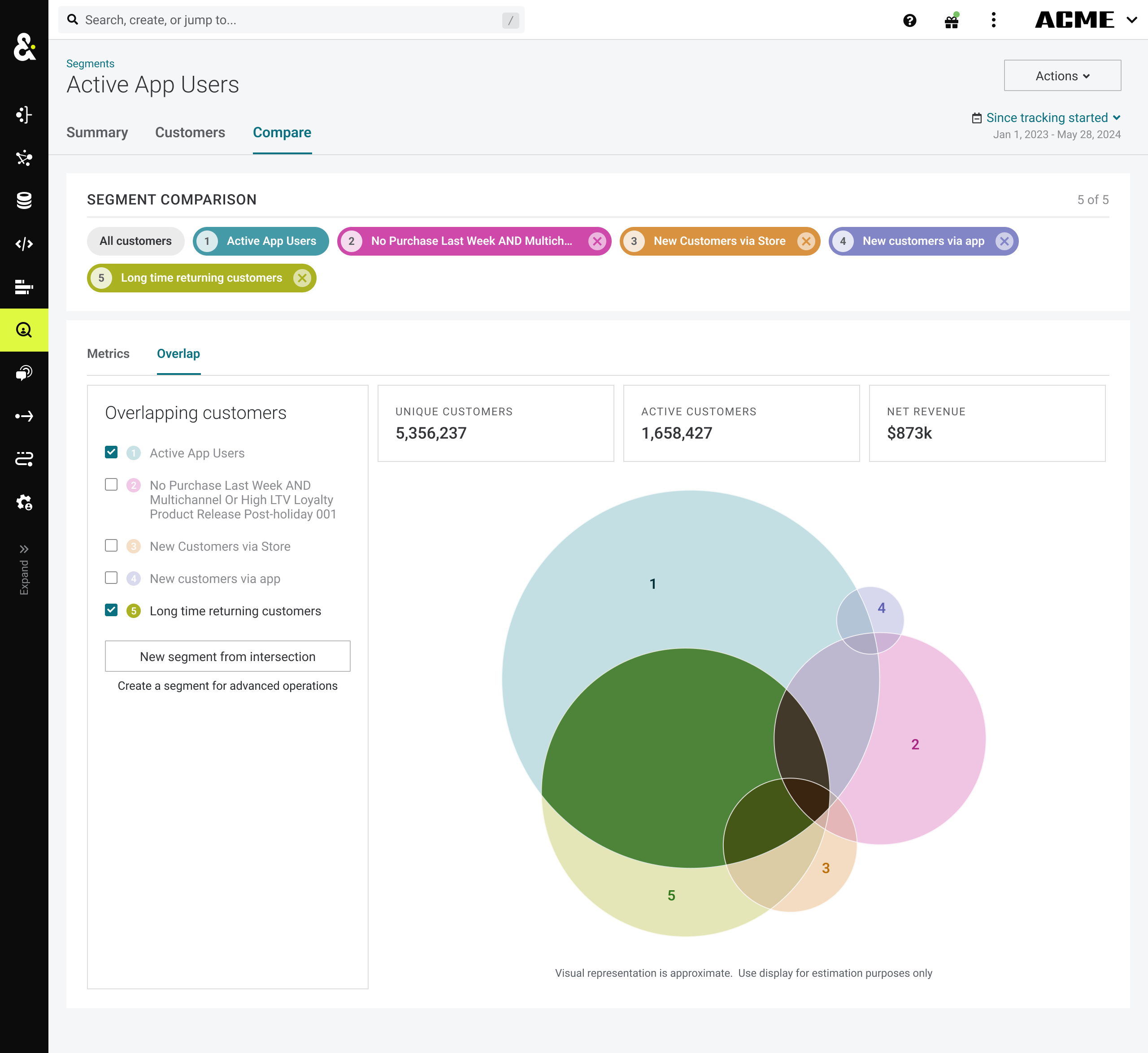
You can now compare multiple segments, view the overlap of these segments, and create new segments from that overlap. This feature helps answer the question of "who is in a specific campaign" and also helps paid media marketers better understand list management and audience overlap.
To use, go to the Segments Tab, select a segment, and click the “Compare” sub-tab. From there you can add segments and view the Overlap on the "Overlap" sub-tab.
VSE Exclusions
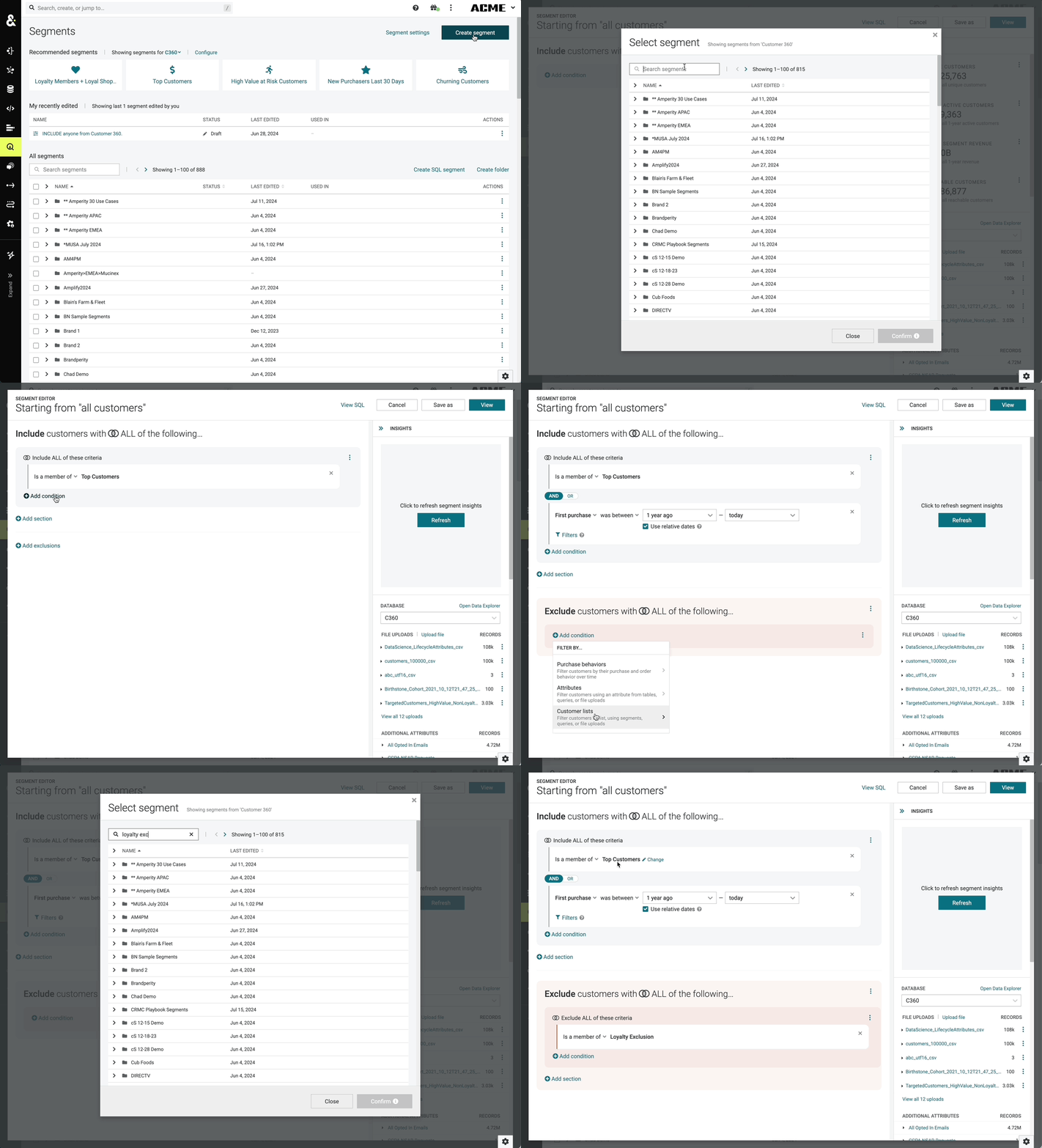
You can now add exclusion criteria directly inside a segment. While this was previously possible via exclusions in campaigns, being able to set these options directly inside the VSE gives you more flexibility in your segmentation strategy and enables you to take advantage of segment insights. Additionally, it provides the ability to set exclusion criteria at the campaign sub-audience level.
Reference Other Segments within VSE
You can now re-use existing segments when building new ones. This unlocks a variety of use cases and simplifies aspects of the segment-building process. Now, even if you've set up 10 different segments targeting 18-25 year olds and want to expand the age-range to 18-35, you only need to define this sub-criteria separately and then reference it across different segments. When changes are necessary, update one segment and see your changes reflected across all others.
Additionally, this feature unlocks a few new capabilities within both segments and campaigns:
- Via segment overlap and comparison, users can create new segments that combine the audiences of different segments
- Users can add a mix of segments and other criteria when creating sub-audiences (not just one or the other)
- Users can define more nuanced set criteria between segments as part of the campaign inclusion or exclusion logic
Transactional Attributes Custom Filters
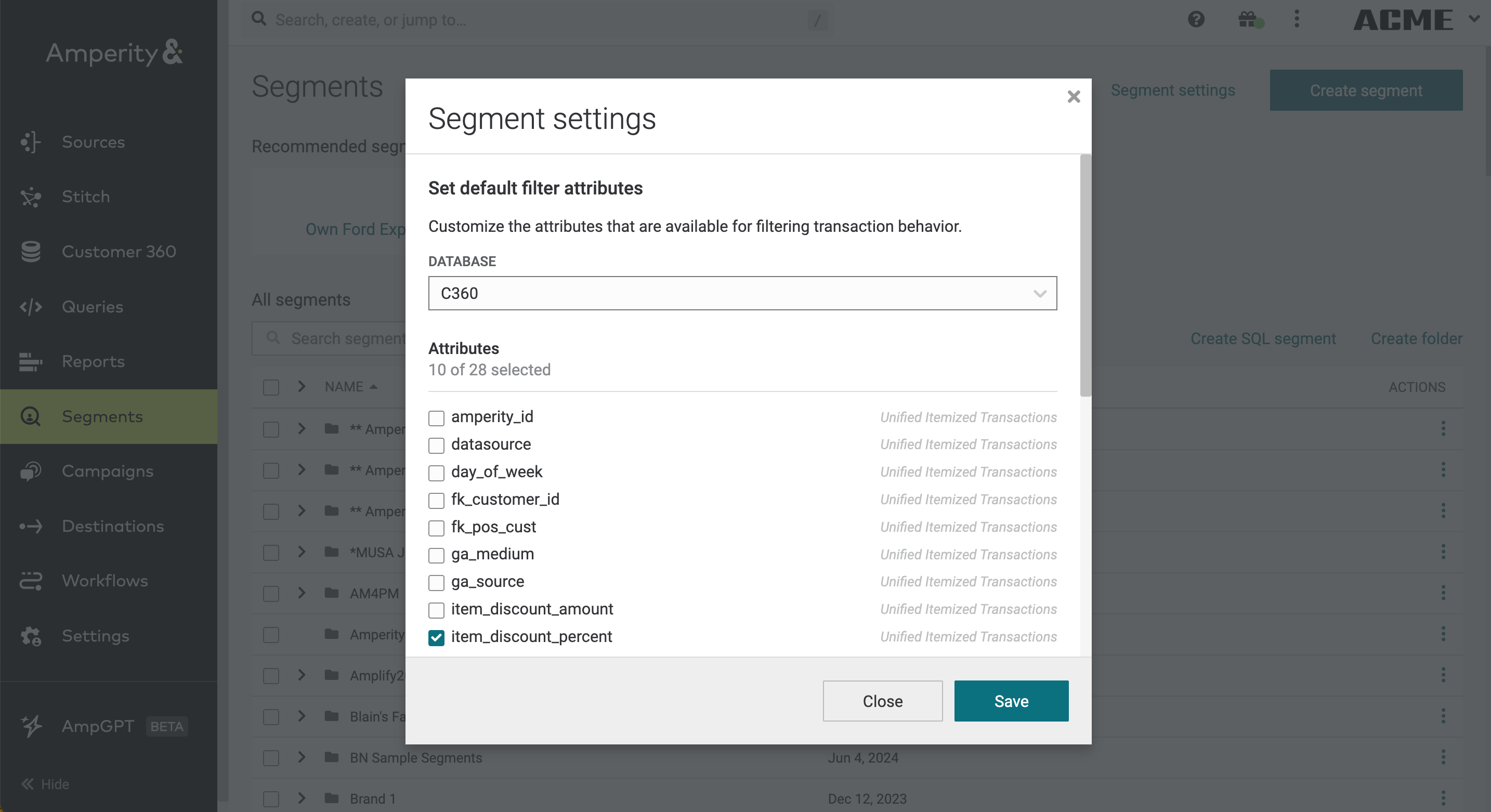
The VSE can filter customers upon specific transactional attributes such as “Has Purchased” or “Repeat Purchase”, but previously you couldn't tailor this at the tenant level. Now you can now select any field in the UIT that you would like to use while working with transactional attributes. These will show up directly inside the VSE and will work for all existing transactional behaviors available today.
To set these settings, on the “Segments” tab click Segment settings in the upper right corner.
Custom Currency Settings
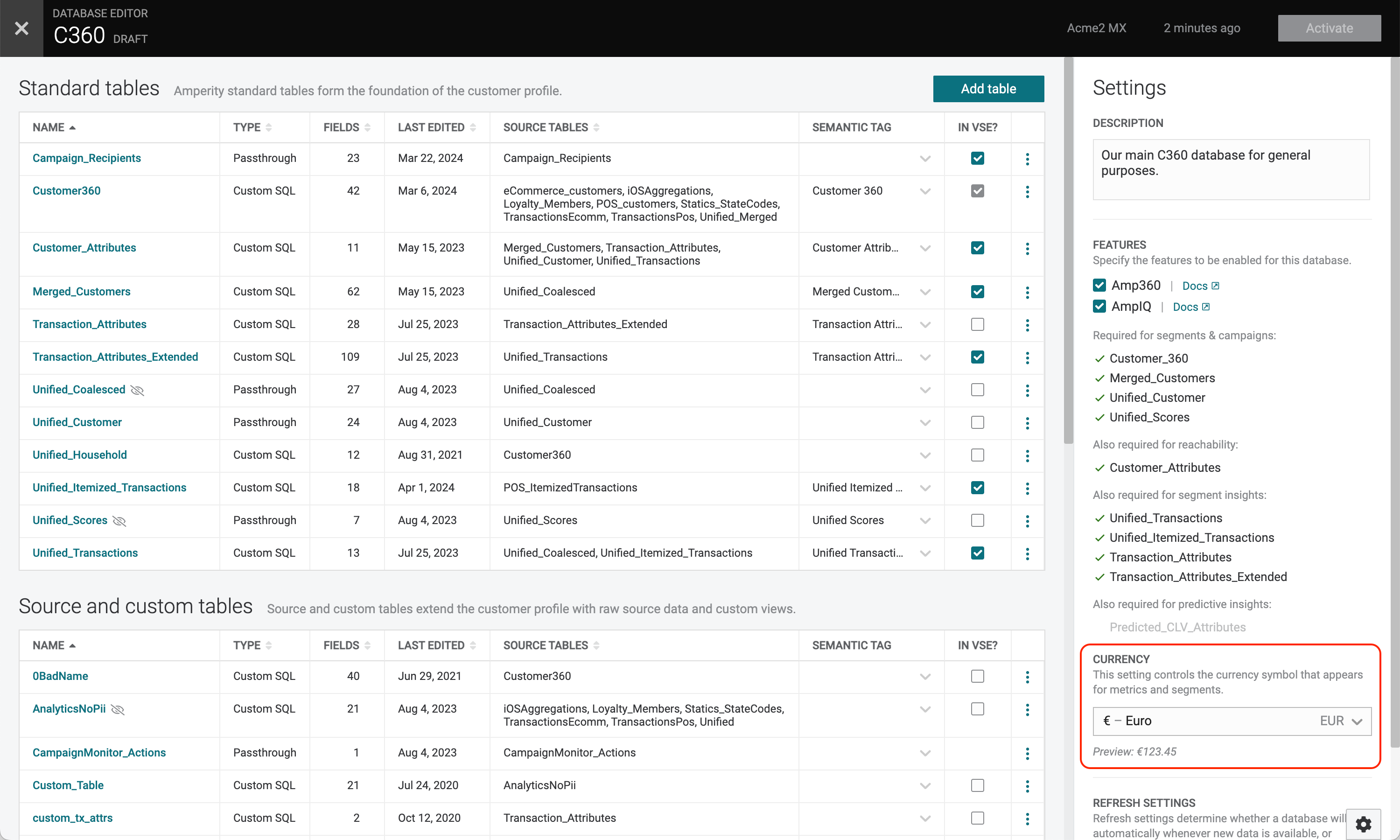
We added a new “currency” setting to any database. This setting defaults to “USD” but can be quickly changed to a handful of common currencies, or set to a custom currency symbol. There’s an option to “Show both symbol and currency code,” which would render the currencies like this: “$CAD11.81”. With this set, anywhere Amperity shows currency values will now reflect the symbol configured for that database.
Additional Improvements to the VSE UI
- The single dropdown selector with every possible customer list has been replaced by a modal which shows the segments and their folders
- Complex clauses have been given clarifying descriptions and default values
- Attribute selection has been streamlined within VSE